Stepping into Blender
How my journey started
During my third semester of my MSc in Game Design, three classmates and I developed a couch party game. The concept was simple: players had to manage and run a small fantasy coffee shop.
Yet a not so simple aspect of the game development introduced itself—paywalls. Turns out, there aren’t many free (or even cheap) 3D models of barista machines out there. Most of the ones we found cost around $25 each, and as poor students, that was way out of our budget.
The solution to this? I decided to gets my hands dirty, and model them myself using Blender.
My first steps; The donut tutorial
At this point, it’s basically a meme—Most people's first Blender project revolves around following along with the infamous donut tutorial by Blender Guru. I too, did just this. In doing so, I occasionally broke some stuff and spent more time fixing what I had broken. Yet, after a handful of hours, things did start to click and ended up with my very first 3D model completed. 🍩
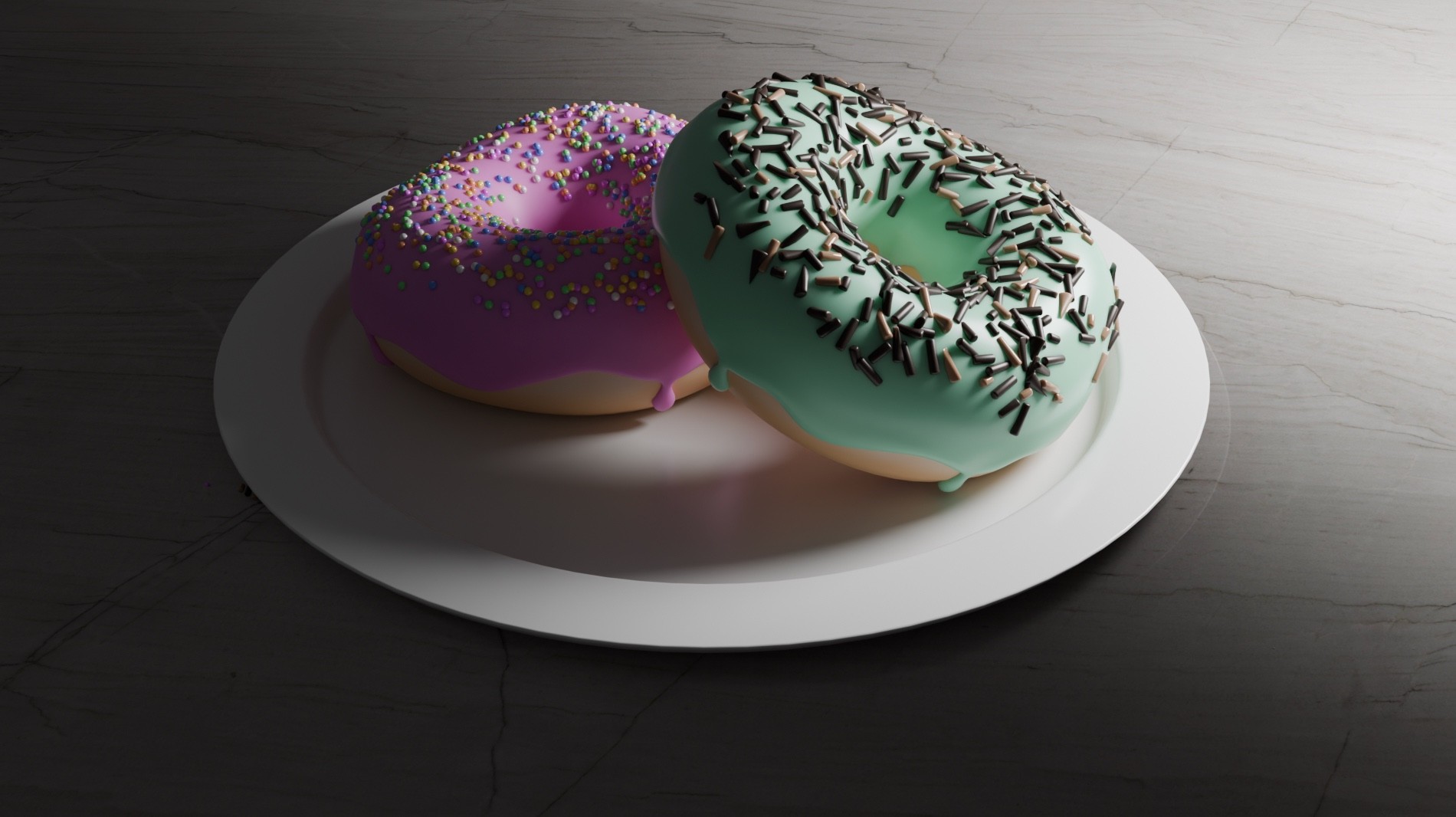
Image of my first ever Blender project; the donuts
Next steps; My own barista 3D models
Making donuts was fun and all, but I had a strict deadline—and, well, donuts weren’t exactly why I opened Blender in the first place. I needed barista assets for our game. So, I started to experiment with making my own assets using what I had just learned and additional documentation when needed. What I needed to make was 4 relatively minimalistic assets for a toony game aesthetic:
Filter coffee machine
Espresso machine
Milk frother
Coffee grinder
I ended up making all the assets over approximately two full study days. Getting the hang of utilizing Blender better for each asset. A noteworthy matter, in contrast to the donuts, was that these assets didn't need textures in Blender, as this would be added in the GoDot game engine. Thus the materials was the only concern for now.
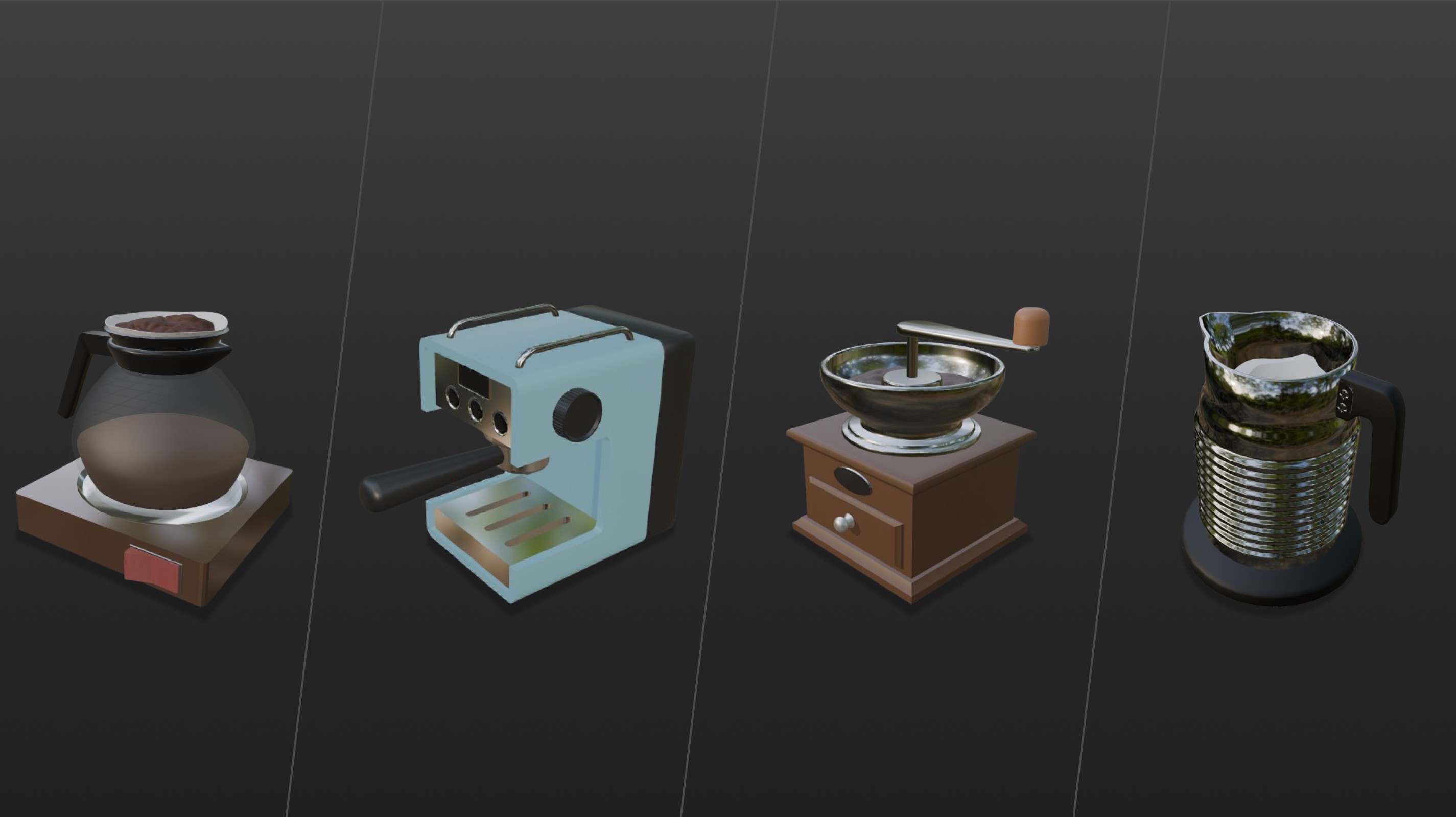
Overview of the different barista machines
What I gained from this
While I wouldn’t call myself a Blender expert now, I did develop a solid foundation in 3D modeling. As a designer—especially a game designer—I now know the basics of Blender, which also opens up a lot of new possibilities. Generally, expanding my toolkit and learning Blender has been a fun ride, and I’m excited to take it further. Hopefully my next project grants me the opportunity to work with rigging and animating my own assets as well. 🤞

