Cellar stats

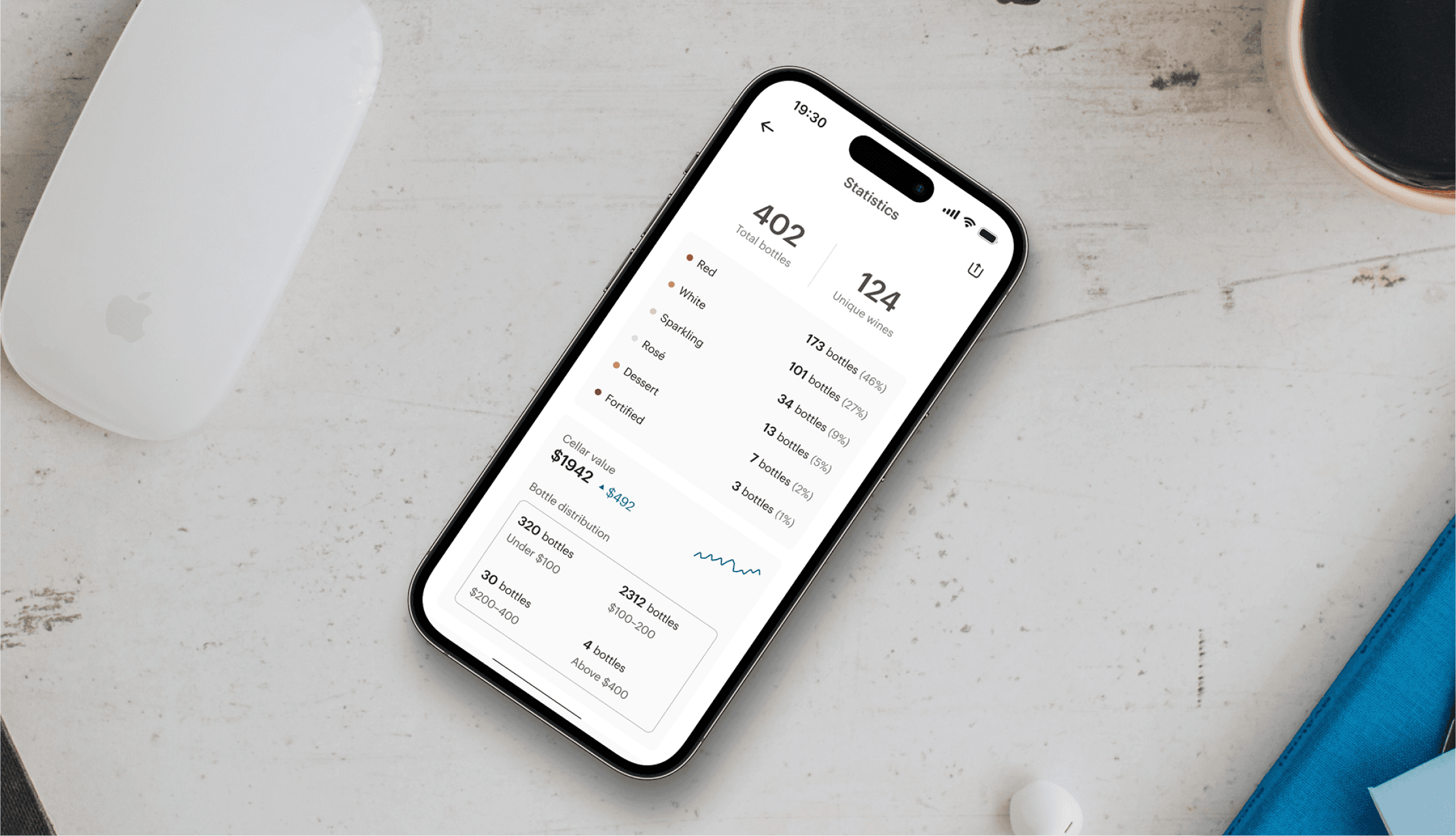
Mobile app
B2C
Complex data
Company
Vivino
Stakeholders
Product manager, designers, developers
Overview & impact
01
Foundations
The Product
Vivino is the world's largest online wine marketplace, most downloaded wine app, and home to a community of ∼69 million wine drinkers worldwide. In 2023, Vivino launched Vivino Premium, a feature-rich subscription focused on enhancing user experience by offering personalized content aimed on engagement, education, and personal tracking.
Problem space & goals
After gathering feature requests from the Vivino community, it became clear that many users wanted more detailed insights about their stored wines, such as total value, estimated value, and type distribution. To address this demand, I was tasked with designing a solution focused on these goals:
Creating a simple, approachable first version that could be easily adapted for future enhancements.
Presenting data in a visually pleasing way, especially for the more complex aspects of cellar storage.
Context: minimal effort solution
During very early design kick-off, the feature was deemed by product management to be a minimal first version, meaning a static solution that could later grow to be interactive. Consequently, testing was considered unnecessary for this design project.
02
THE DESIGN JOurney
Inspecting competitor strategies
Before diving into the design of this project, I began with a competitor analysis to gather ideas and insights on how we could effectively visualize dense data pages. Through this process, I discovered two key insights:
Common data visualization techniques and whether they focused on presenting data points through integers, tables, or graphs.
The balance between general statistics and user journey, and observed how Vivino's competitors approached both aspects in their presentations.
Competitor's approach to statistics and logic
Early ideation: a dashboard approach
Since I knew this would need to live on our upcoming Cellar on web feature I had recently designed, I decided to mock-up wireframes for a dashboard approach for two reasons:
Cross-platform scalability for when Vivino decided to bring it to the Cellar on web.
Familiar design aesthetic and is common across various different services and Vivino competitors.
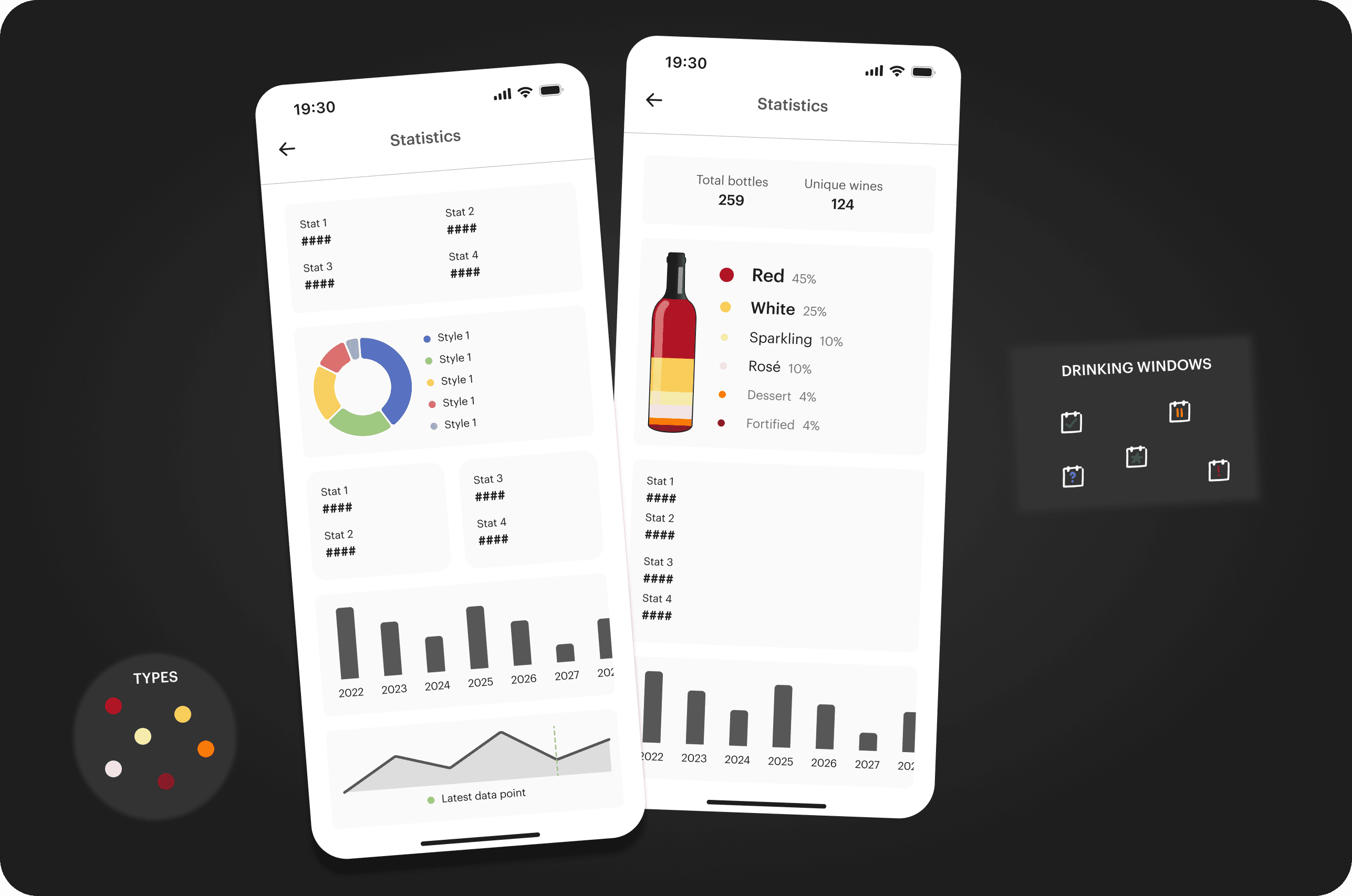
Illustration of some dashboard wireframes and key data points
Designing individual components
Fully landing on the dashboard approach I started ideation more high-fidelity solutions for the individual components that would make up the Cellar stats page like drinking window, type distribution, vintages and more.
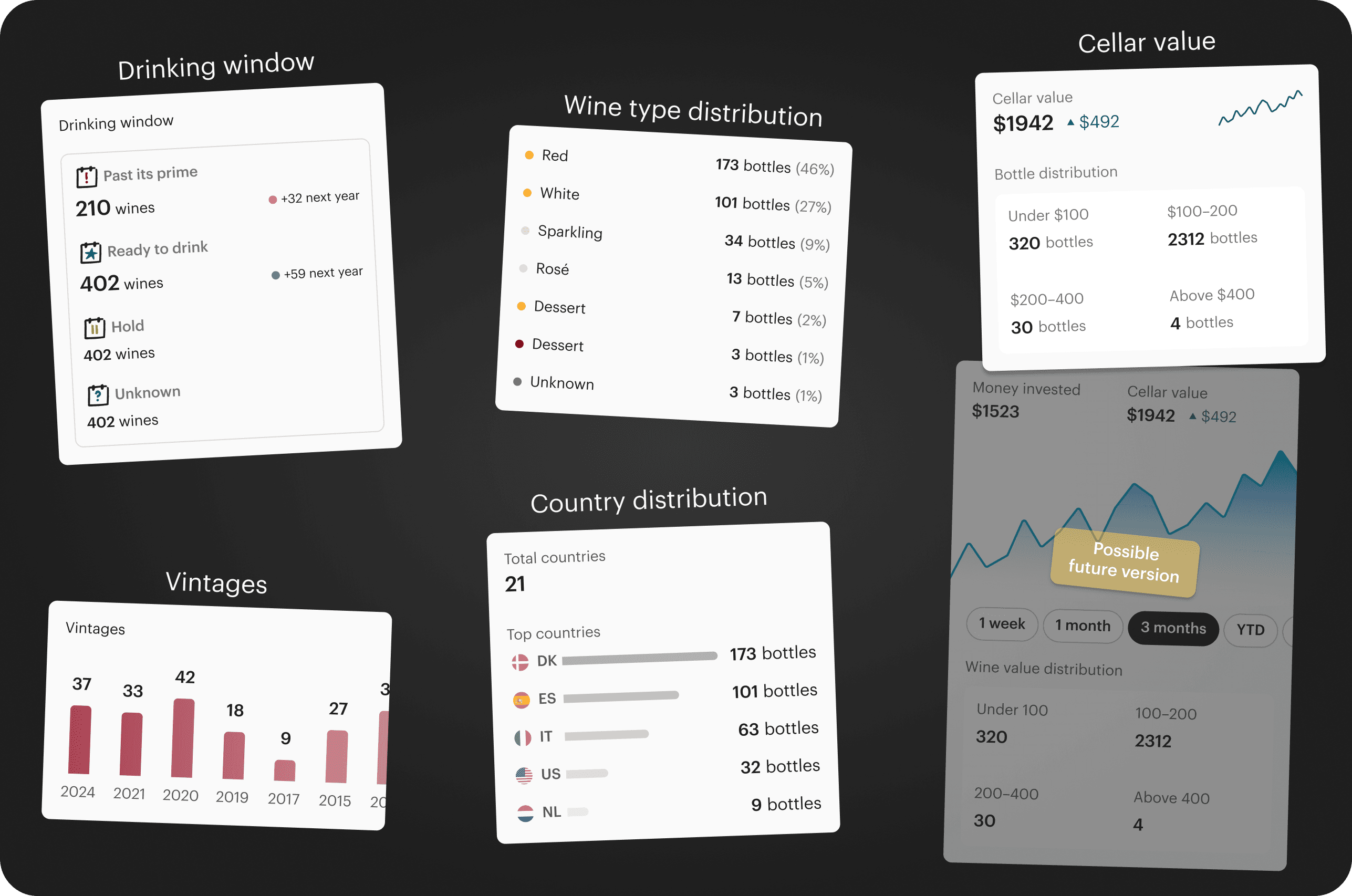
Illustration of the high-fidelity exploration of the components making up Cellar stats
Descope to integer design only
With minimal, but visually approachable ideas I conducted a new meeting with engineering and product management, where we agreed on descoping even further as well as other small issues that was technically challenging. This meeting meant I had four new constraints and findings:
Not adhering to data visualization though graphs or tables in V1.
Consider more scalability and avoid any 2x2 grids
Push vintages for V2 and remove it from V1
Descope estimated value as making these estimates proved rather challenging on the backend
Illustration of the descoping post engineering//product meeting
Brushing up and hand-over
The last part of the process was simply the matter of stripping away the elements agreed upon and making minor changes before handing over the Figma file in a clean organized manner.
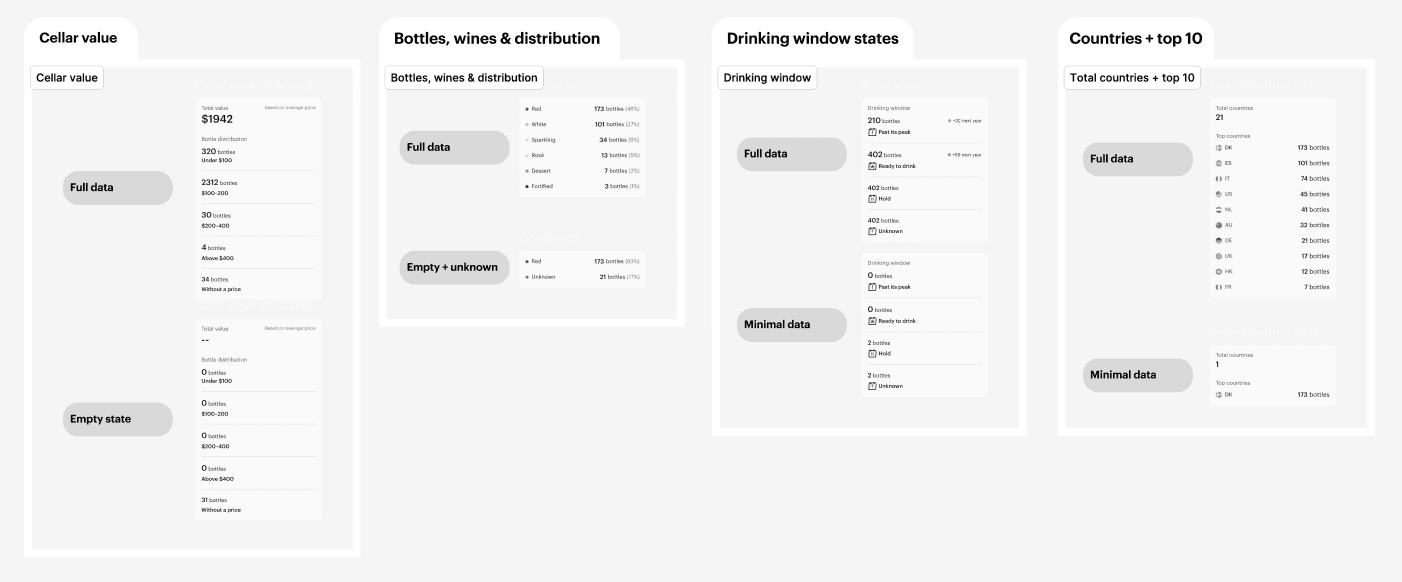
Snippet showcasing hand-over of stat component with full state and empty state
03
Takeaways & outcome
Learnings
Despite being a very small project, working on Cellar stats enhanced my design design thinking and overarching design skills by:
Designing with complex high-level thinking and for Cellar stats it meant designing static dashboards with potential for interactivity.
Envisioning cross-platform scalability, which in this case meant mentally acknowledging how cellar stats could be similar on web.
Final Product
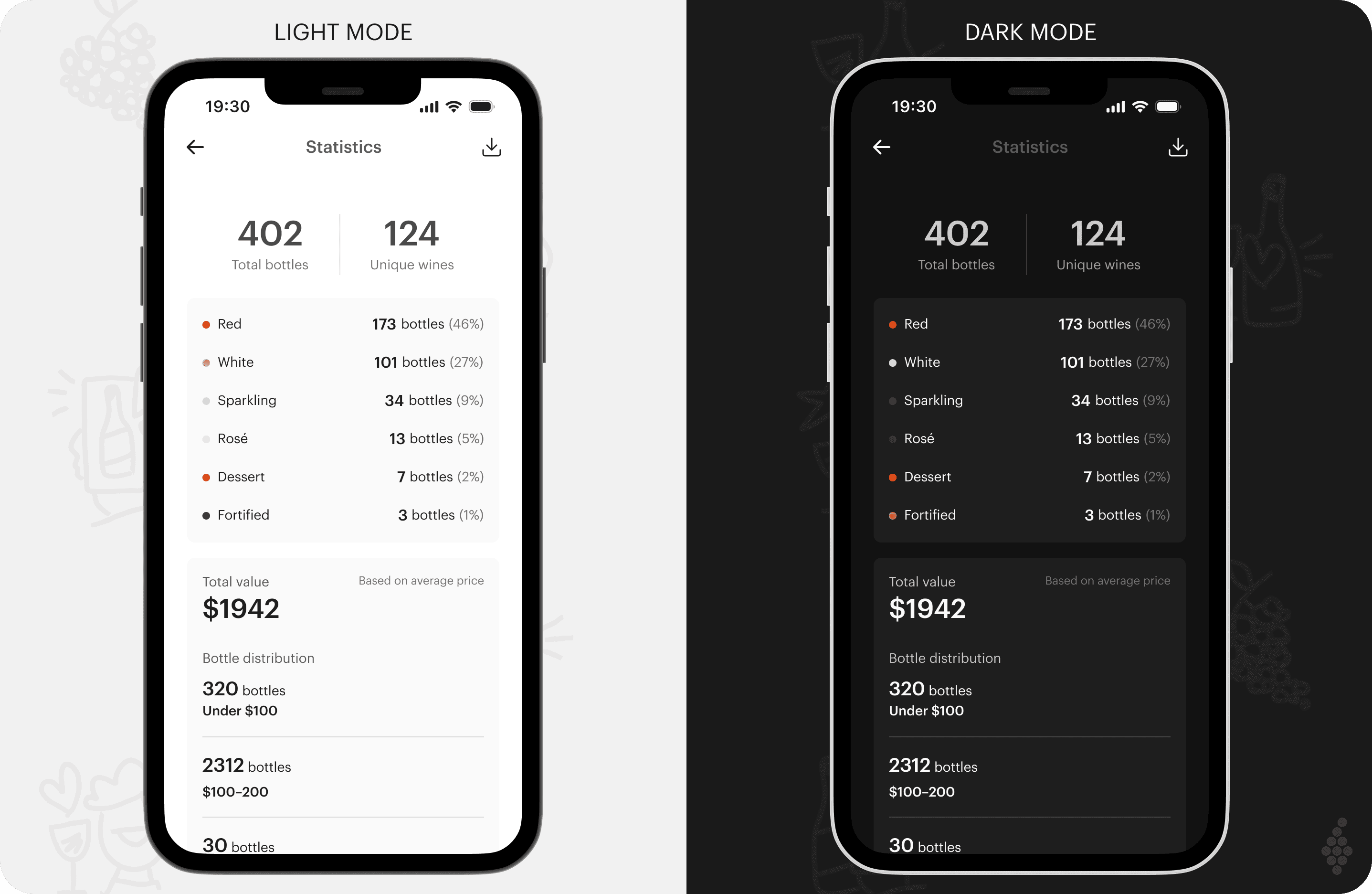
By the time this feature was released, I was no longer with Vivino. The initial version of Cellar stats was a is anticipated to meet the general demand for cellar insights, despite lacking interactivity and the relatively brief design process. Key takeaways from the project include:
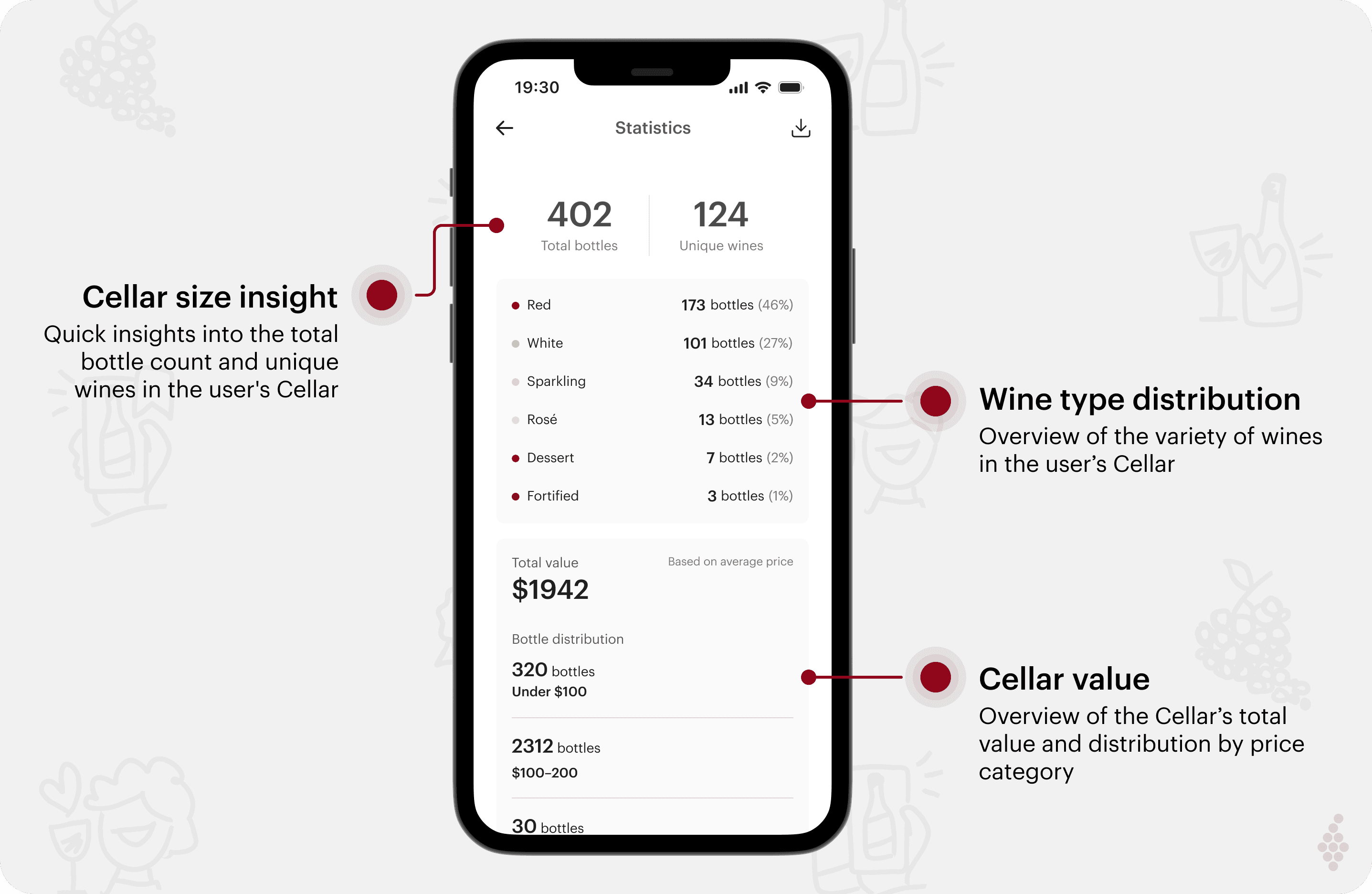
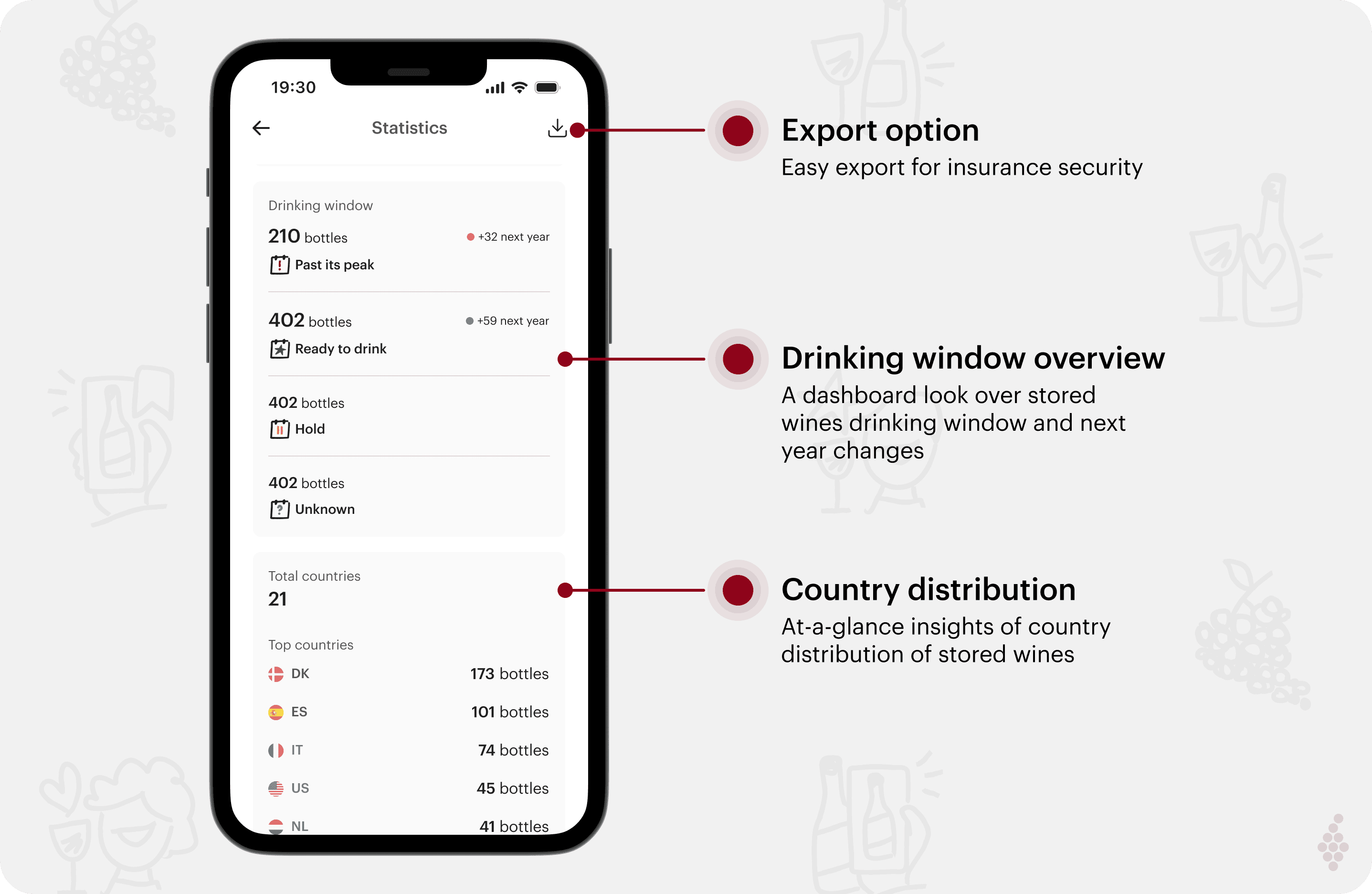
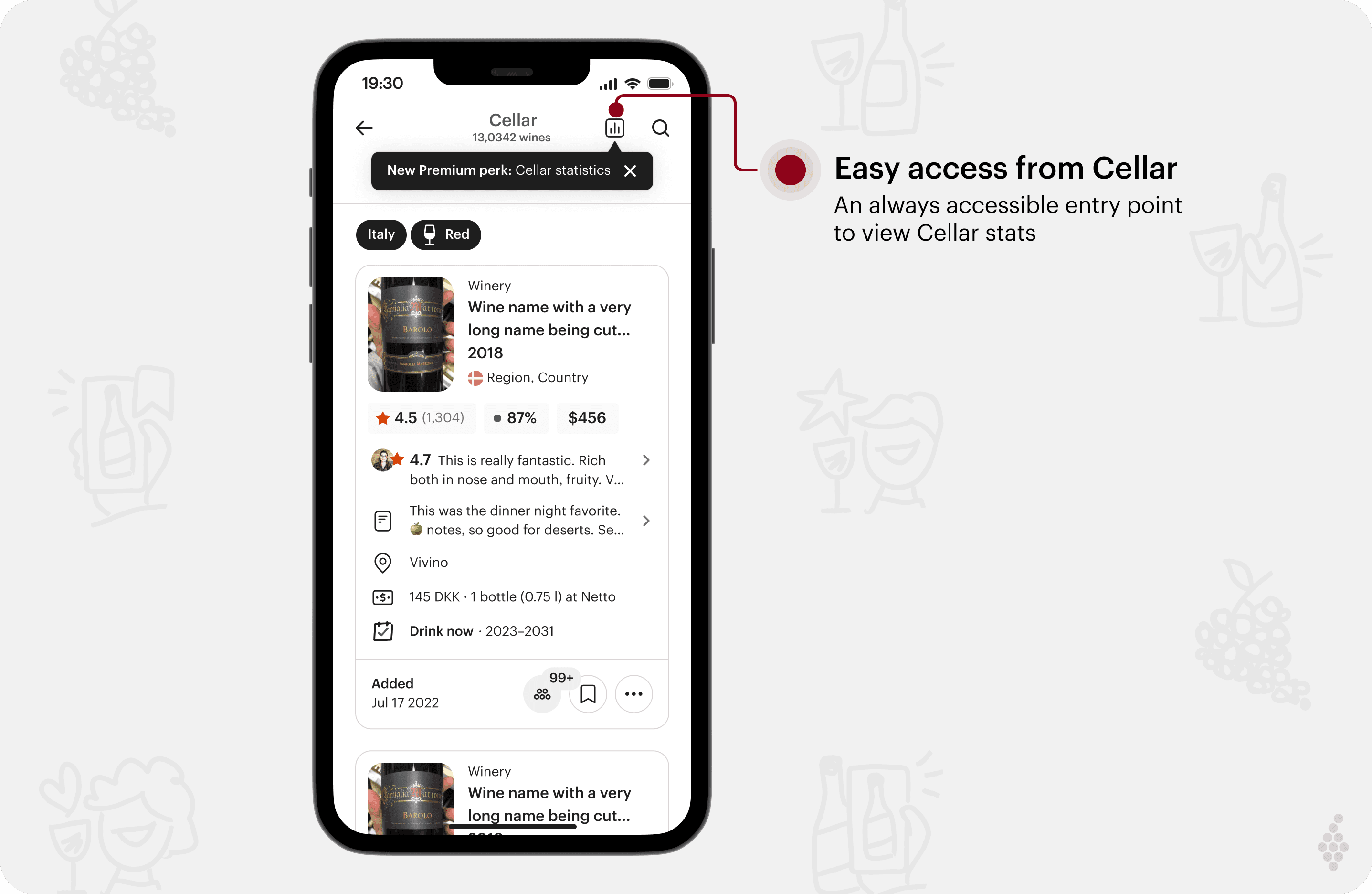
A minimal solution that included essential data points, offering value to users wanting insights about their stored wines.
A groundwork feature for future enhancements, with the potential to significantly enrich this feature for Vivino Premium.
See more…