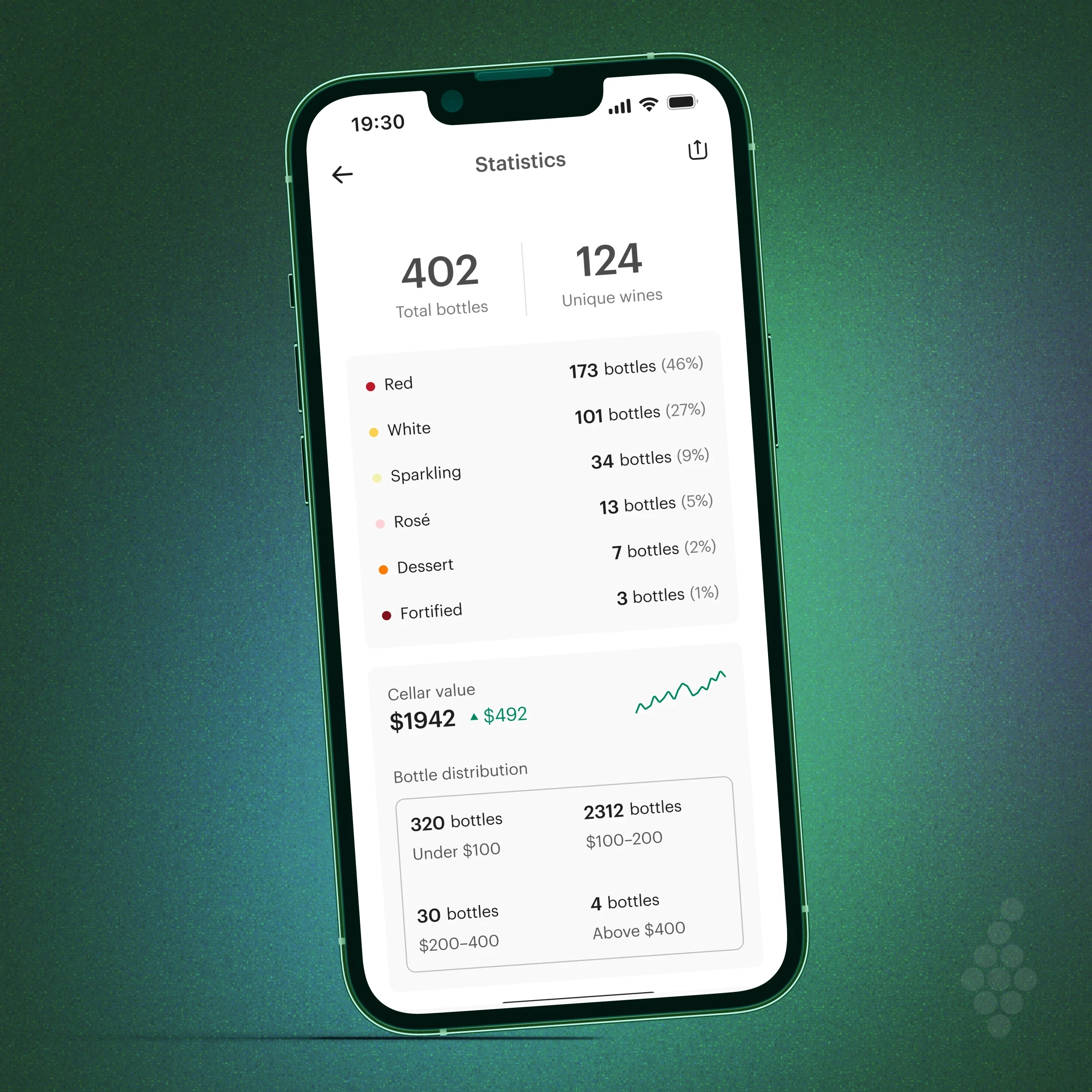
Cellar on web

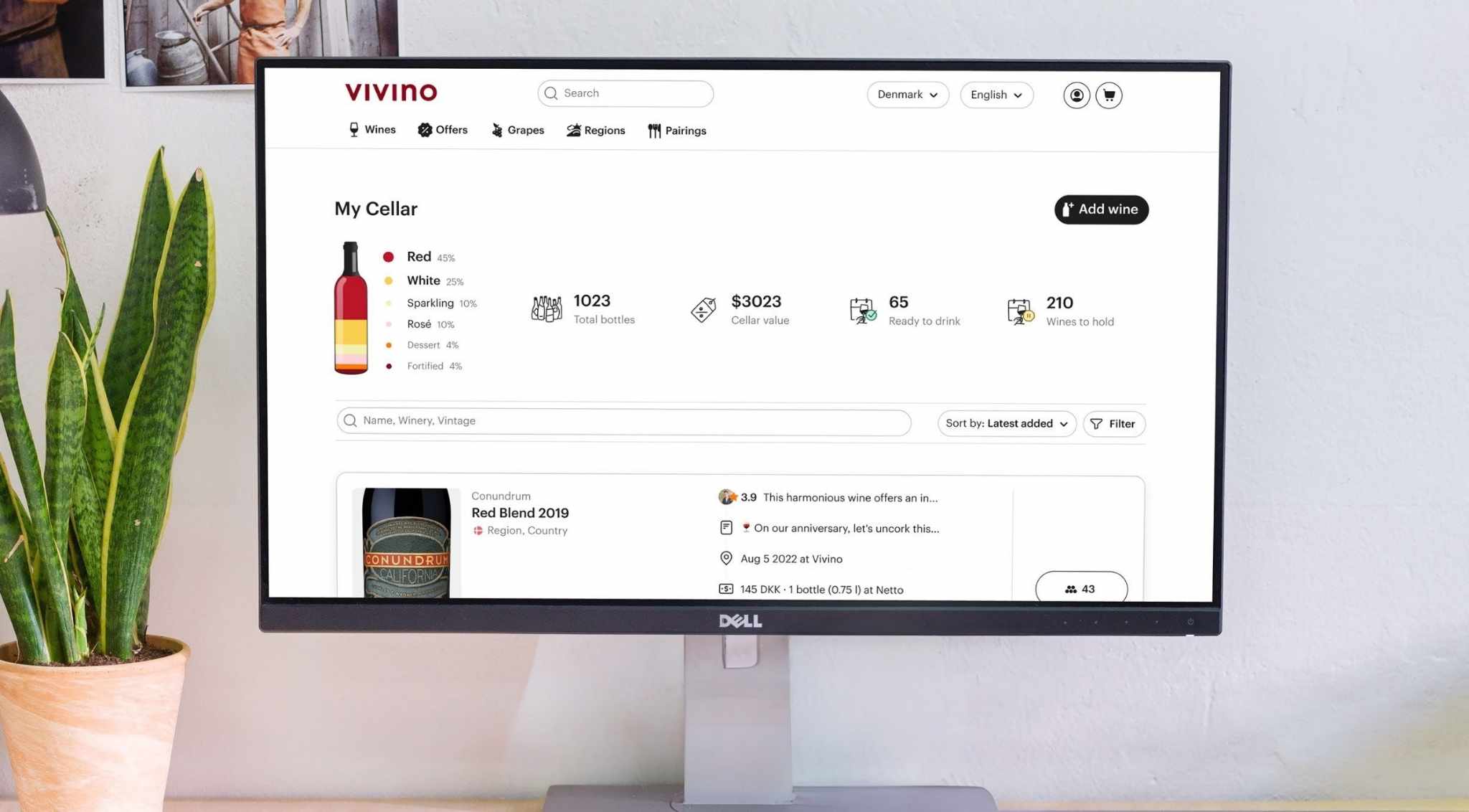
Wep app
SaaS
B2C
Company
Vivino
Stakeholders
Product manager, designers, developers, end users
Overview & impact
01
Foundations
The Product
Vivino is the world's largest online wine marketplace, most downloaded wine app, and home to a community of ∼69 million wine drinkers worldwide. In 2023, Vivino launched Vivino Premium, a feature-rich subscription focused on enhancing user experience by offering personalized content aimed on engagement, education, and personal tracking.
Problem space & goals
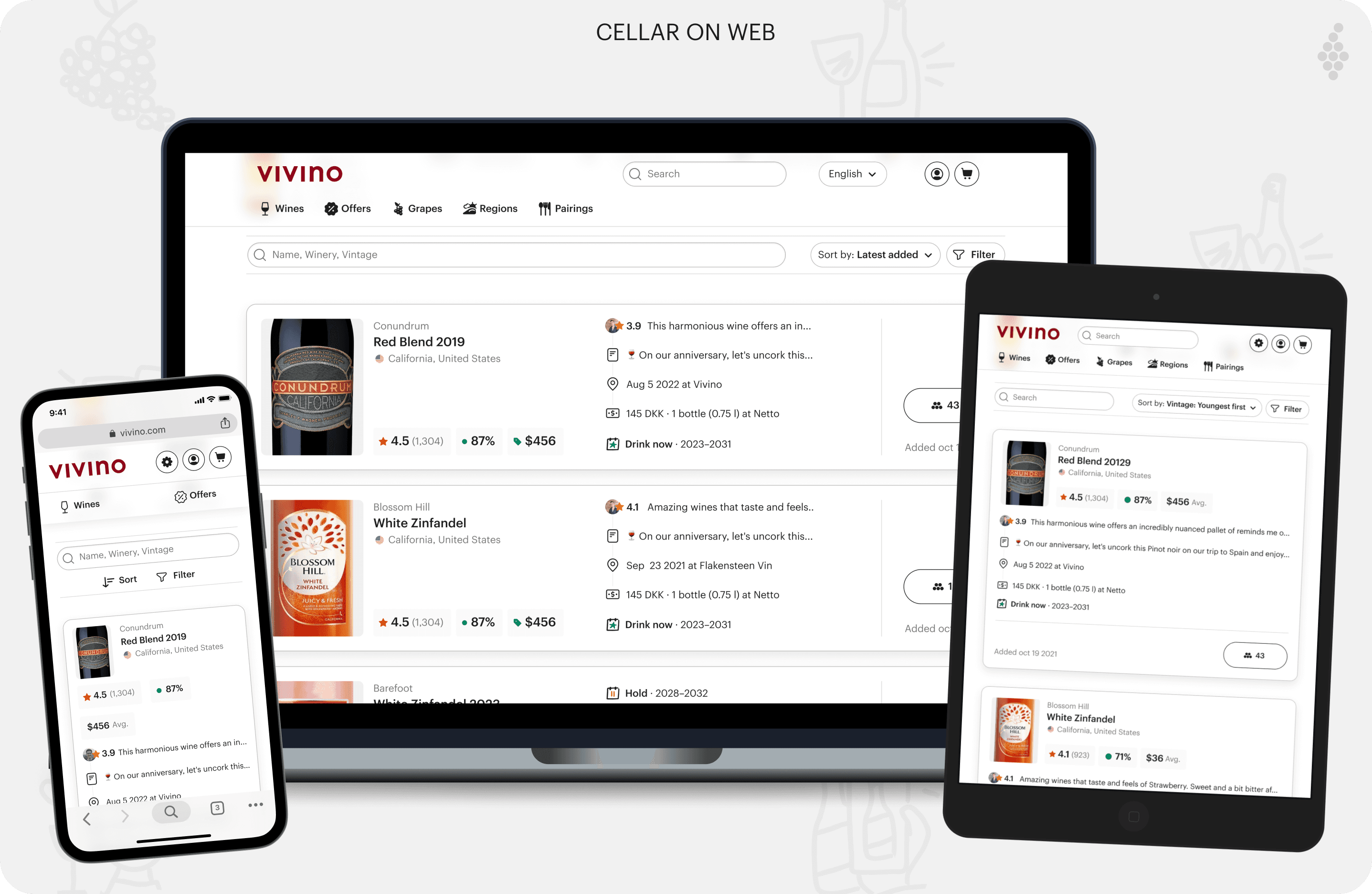
Vivino has been, and still is, an app-first service, but the web platform remains popular among the general user base. Because of this many users requested the ability to manage their wine collections on more devices and larger screens. This demand led Vivino to initiate Cellar on web, to which I rooted my design on two main goals:
Boost Vivino Premium subscriptions by offering flexible, multi-device Cellar management for enhanced user satisfaction.
Design a scalable, easily improvable solution that includes the fundamentals and allows for future enhancements.
Context: key dev-design collab
With no significant design updates on Vivino's web platform for some time, some backend and internal challenges arose. This meant I worked closely with our web development team to tackle the challenge of aligning on the technical feasible and UX necessities and expectations.
OBS: this project partially build upon Vivino list cards
02
THE DESIGN JOurney
Competitor research
When I started this project, Vivino only allowed wine storage management through the Cellar feature on the app. This drove me to analyze Vivino’s competitors, Vinify and CellarTracker, who offered Cellar tracking on the web. I explored their processes for managing wines and adding personal data points to extract valuable insights and avoid possible pitfalls. In doing this I found three key insights:
Both utilized drawers and had the detailed wine information and actions living there focusing on relevant content.
Both Lacked responsive design and struggled with offering this feature on web when on smaller devices.
Consider flow similar to Vinify to ensure an easy modern approach
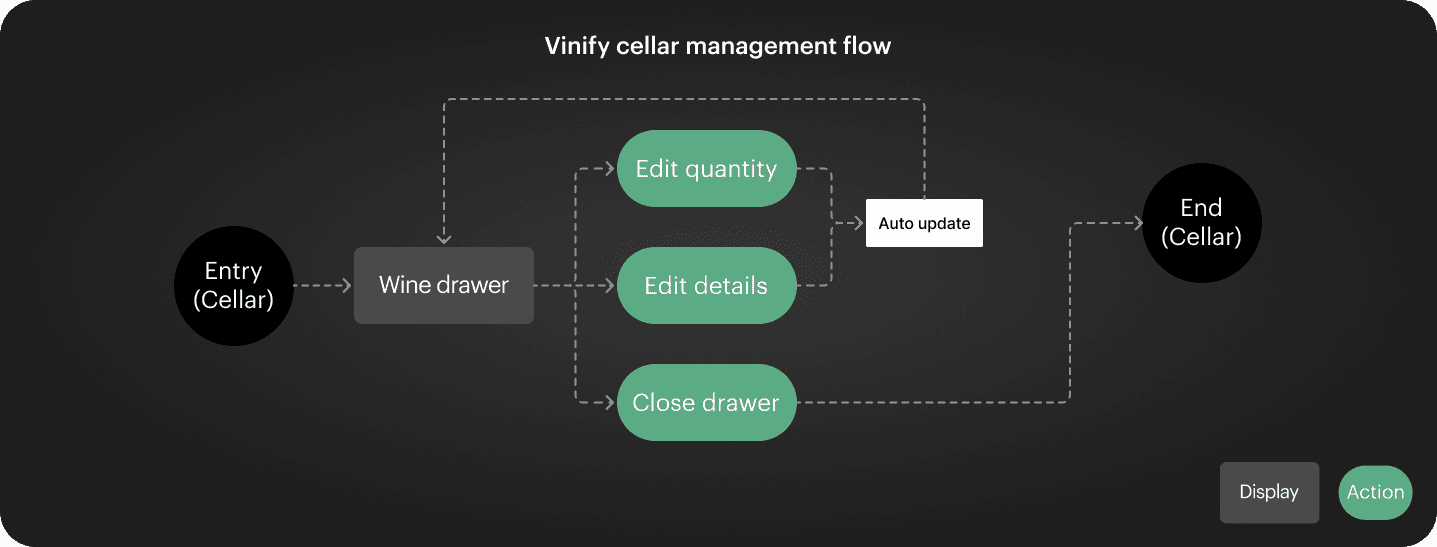
Example of Vinify's cellar management flow.
Exploring drawer solutions
To maintain external consistency with other cellar management approaches, I decided to explore how a drawer solution could work for Vivino, while accounting for the many user data points available for the user to add. Doing so good frame two main opportunities:
Align with web-based cellar solutions and creating consistency with other cellar management solutions to provide a familiar experience.
Draw on familiarity and decrease the time users need to learn the systems by drawing recognizable environments.
Snippet of some of the drawer approaches for inspiration
Ideation
First step was ideating how to approach the list structure for web and the drawer look. I started by wireframing different ideas. This helped me eliminate less optimal ideas, and note the valuable bits. In doing this I centered in two things:
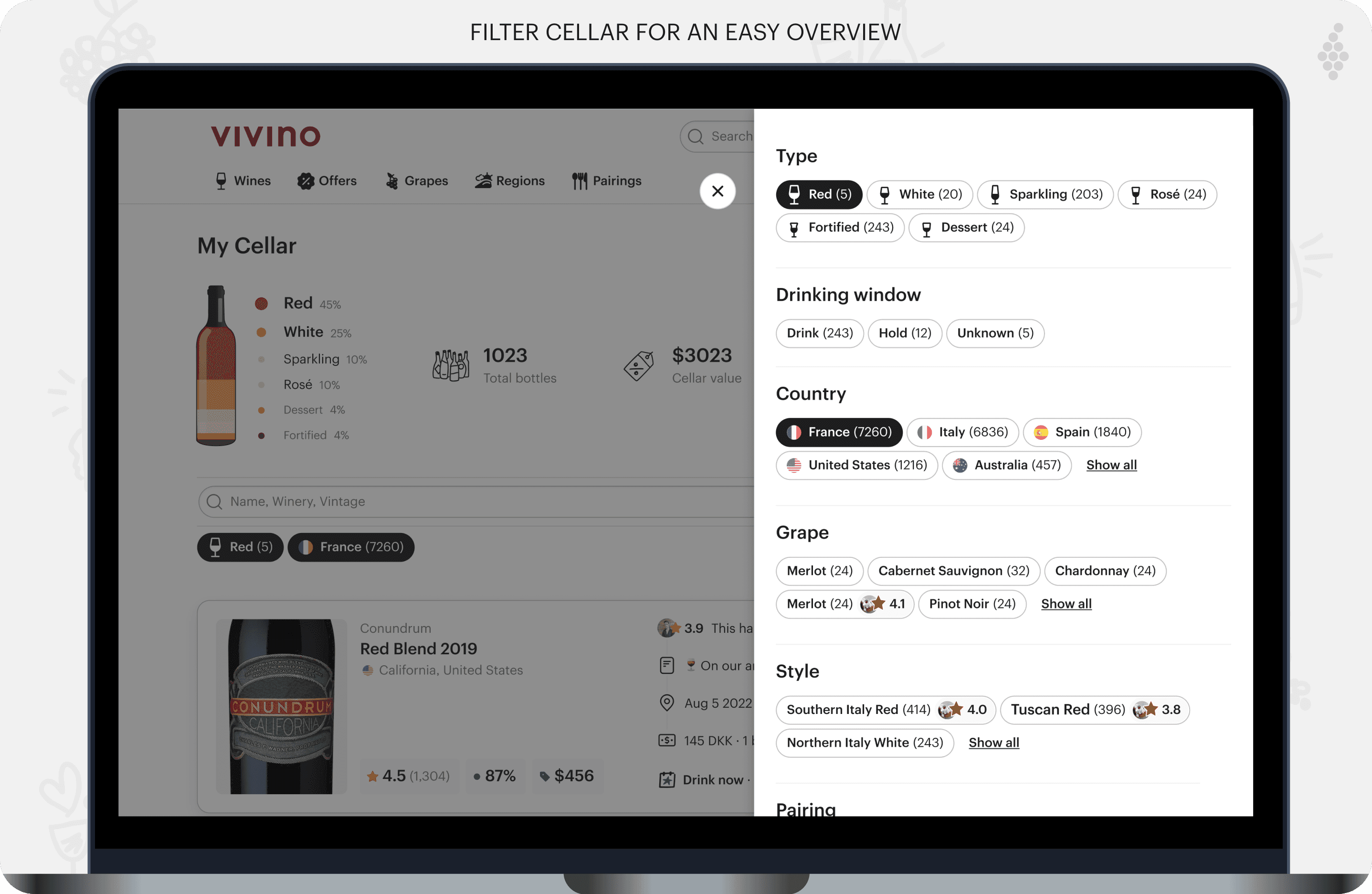
Exposing all user data points as I couldn't justify the reasoning for deciding what the user finds most valuable here
Home in on the resposiveness and align it the upcoming vivino lists which also meant designing cards
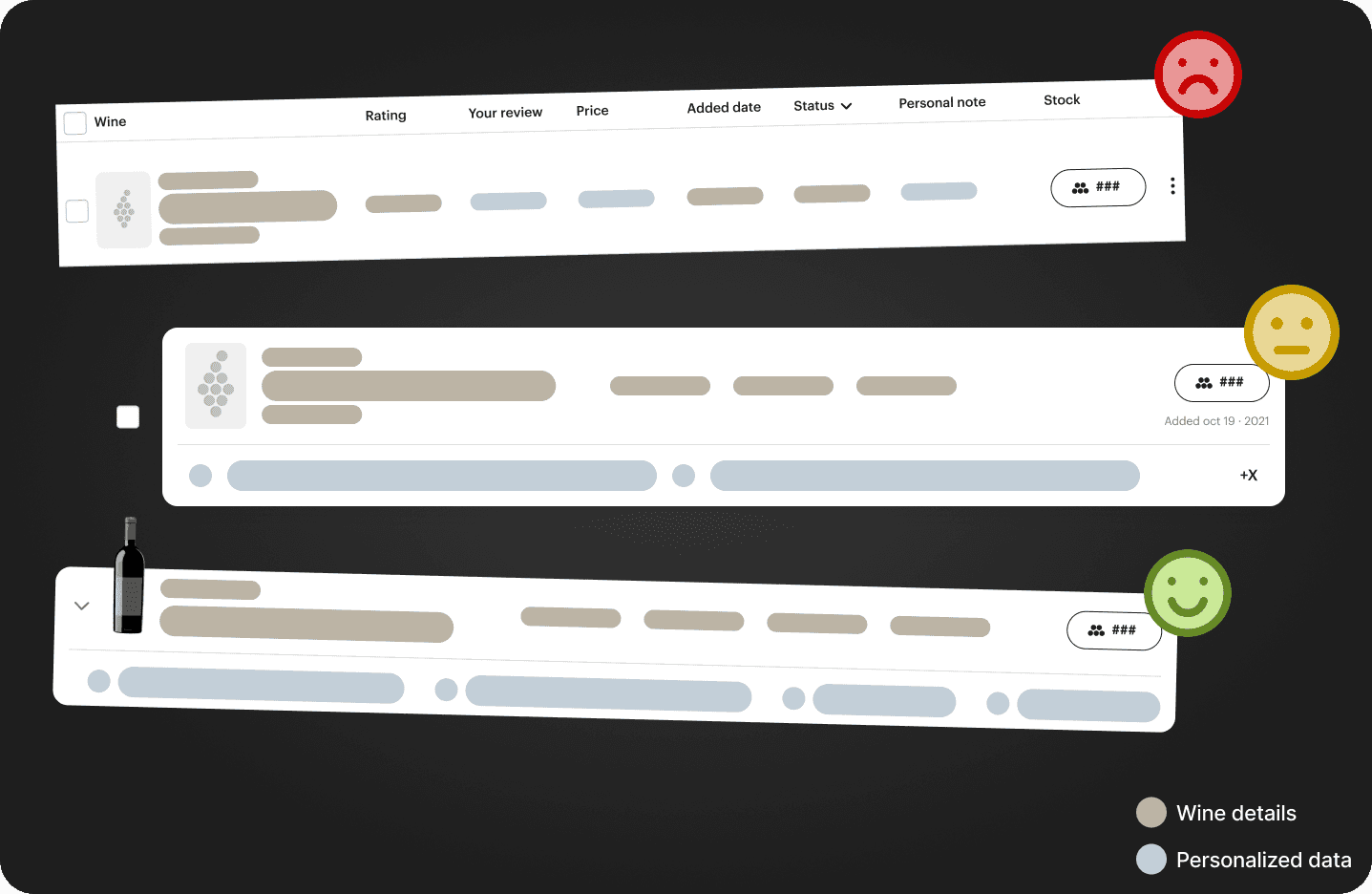
Wireframes of different ideas for the lists
Taking a standing point in the early ideas, decided to design the web responsiveness from the bottom up, starting with a mobile look first. Having recently explored the Vivino list cards, I already had a near final vision of their appearance. From there, it was primarily a matter of "stretching" the cards to fit larger screens. Doing this meant:
A familiar user experience between app and web no matter the device
Expected stacking behavior and never harmed the information
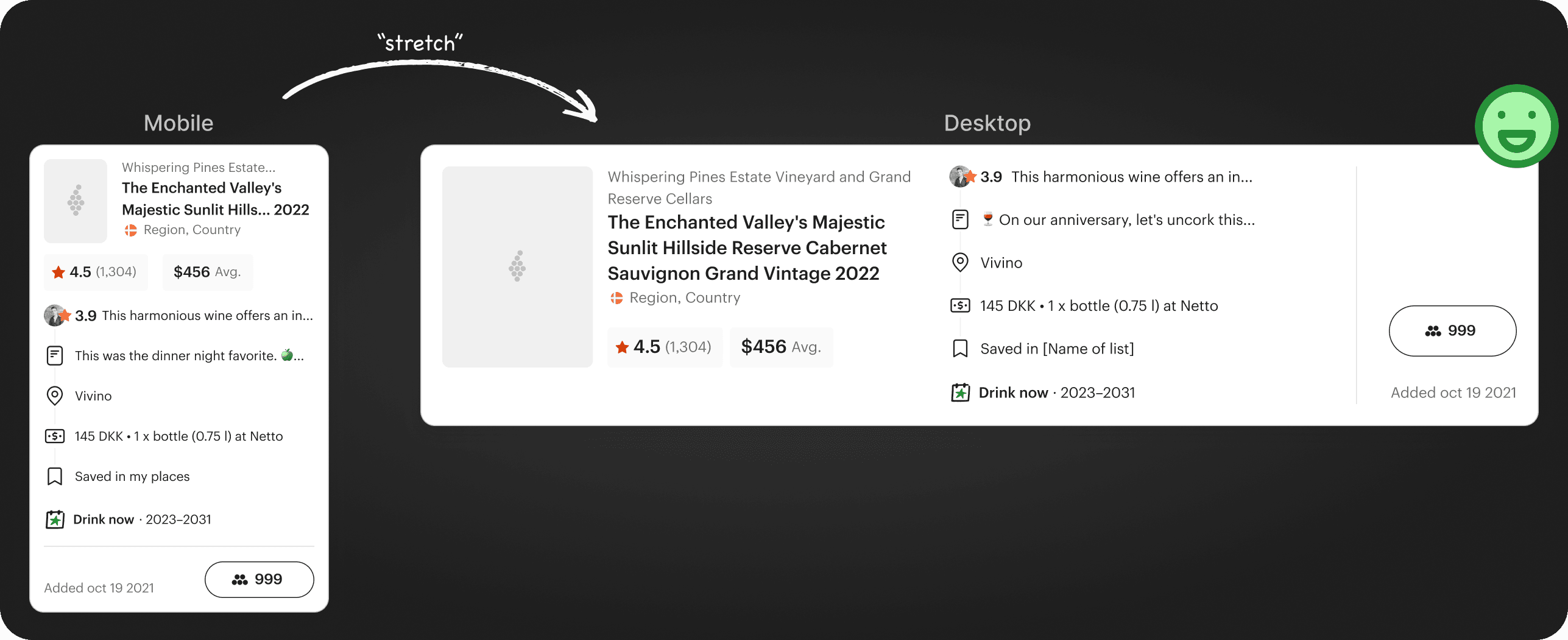
Illustration of the bottom-up responsive ideation approach
Prototyping flows
With the lists defined, I moved to prototyping to test user flows and spot potential issues. Inspired by Vinify's simplicity, I tailored it for Vivino adding steps like cellar notes for quantity changes. After discussions with product management and web development, we decided to exclude editing user-added data points for version 2 (V2). Prototyping the flow ultimately resulted in:
A straightforward management flow inspired by Vinify, though with alterations to fit Vivino, particularly for the option to add a cellar note regarding the quantity change
A descoped, yet partially V2 ready flow and design that resolved how to change certain user data points easily
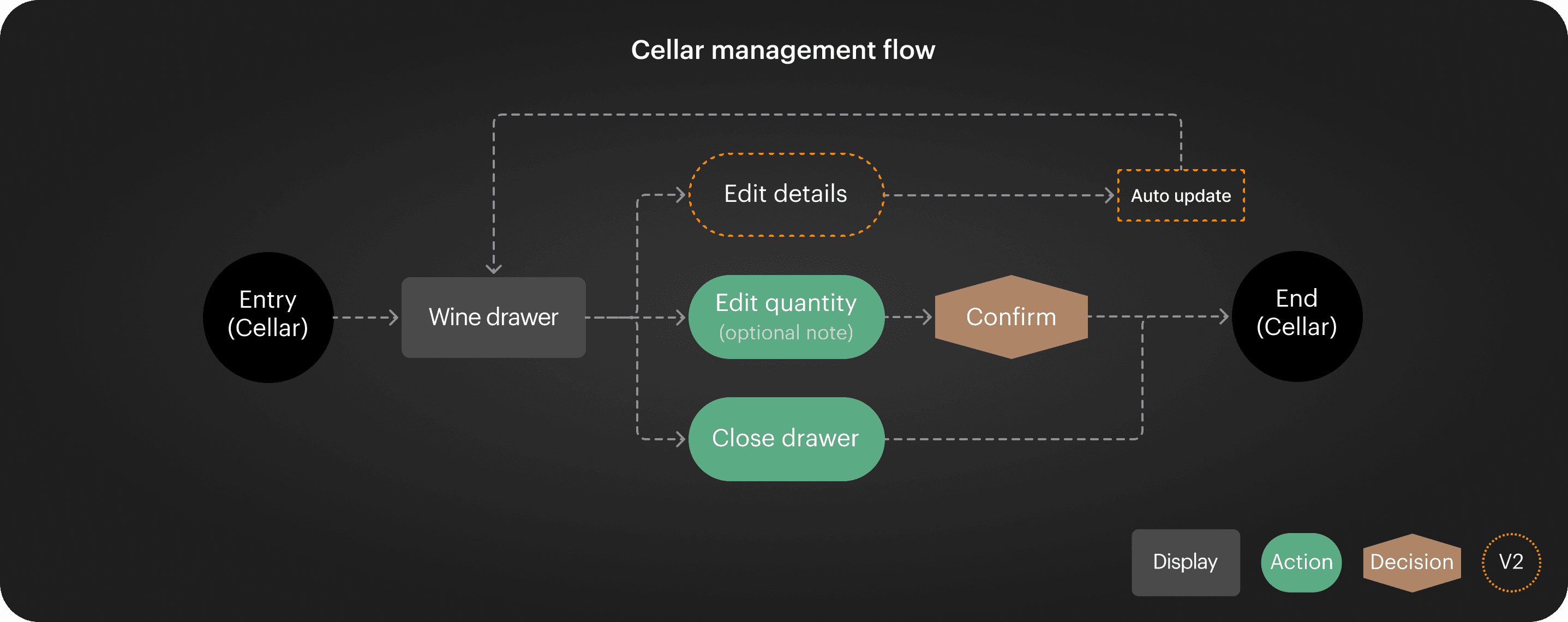
Flow diagram of cellar management for cellar on web
Testing & flows for adding new wines
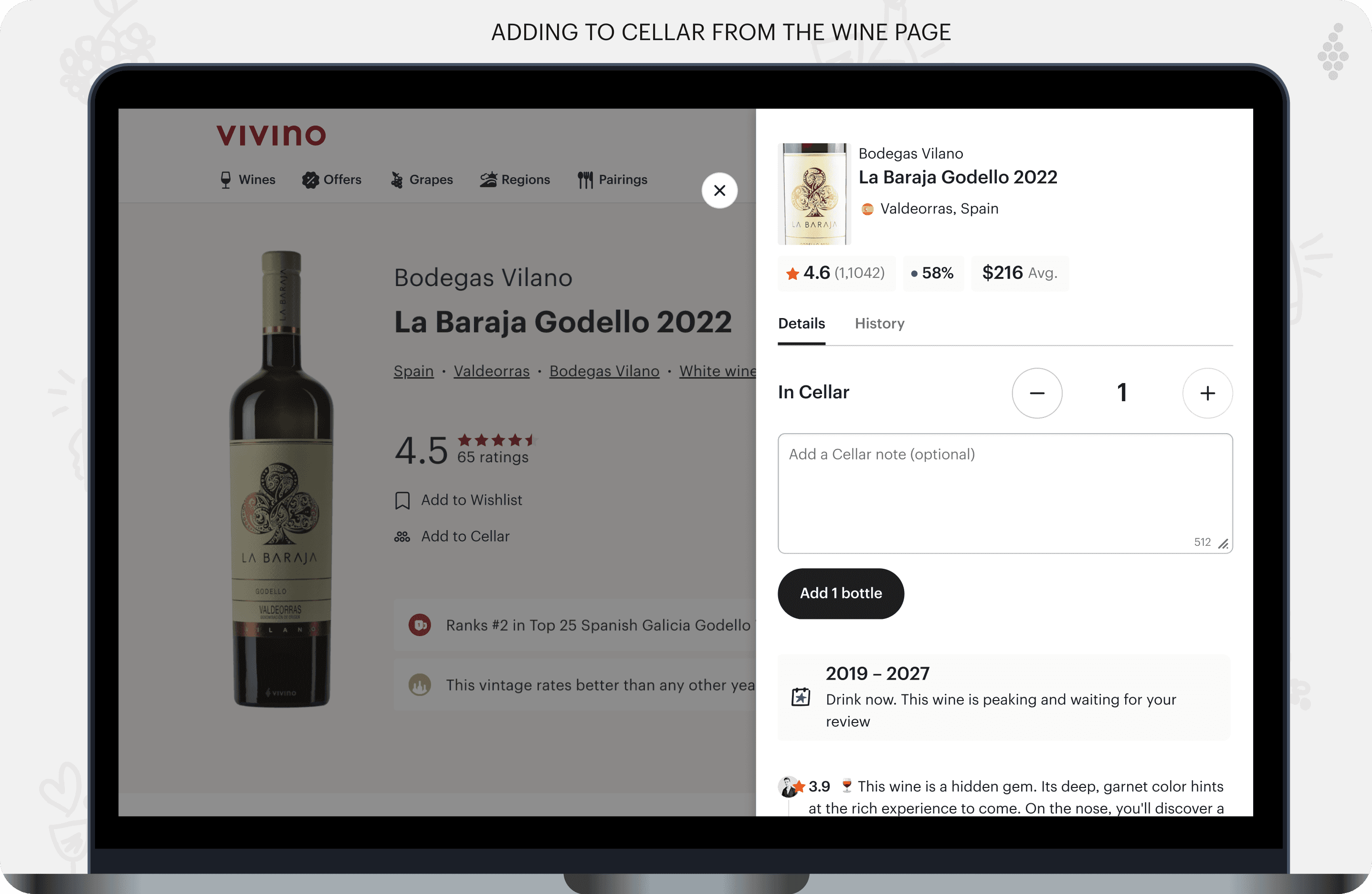
Due to recent reorganization, Vivino's resources were more limited, so testing was only done internally. I held a small meeting with product management and QA to test the flows. Initially, I designed a flow for adding wines from the Cellar view, but we discovered the need to add this option from the wine's product page as well. This became the V1 for the new feature, with the Cellar view adding flow planned for V2.
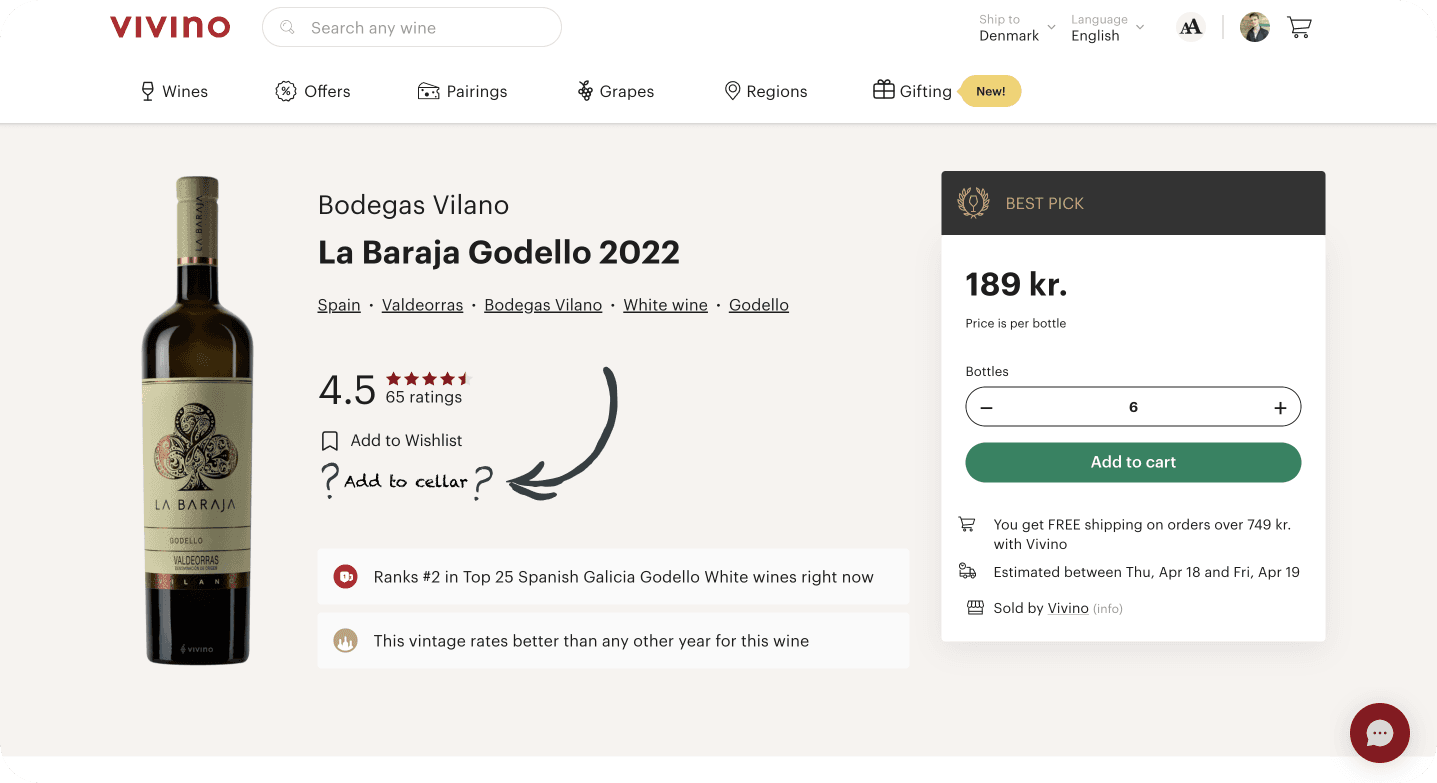
Illustration of the missing link, the option to add to Cellar from wine PDP
Product descoping & hand-over
The project culminated in an extensive hand-over file, detailing responsive looks and flows for every aspect of Cellar on the web. Moreover, during the hand-over, it was decided to descope the option to change the drinking window on the web. Having already structured the flow in Figma, I created a descoped version while retaining the V2 solution. Due to the hand-over file's extensiveness and changes I sought to:
Communicate V2 & V1 logically, ensuring all established ideas were included and the descoped solution was communicated.
Organize the file thoroughly with sections, flows, states, device labels and more.
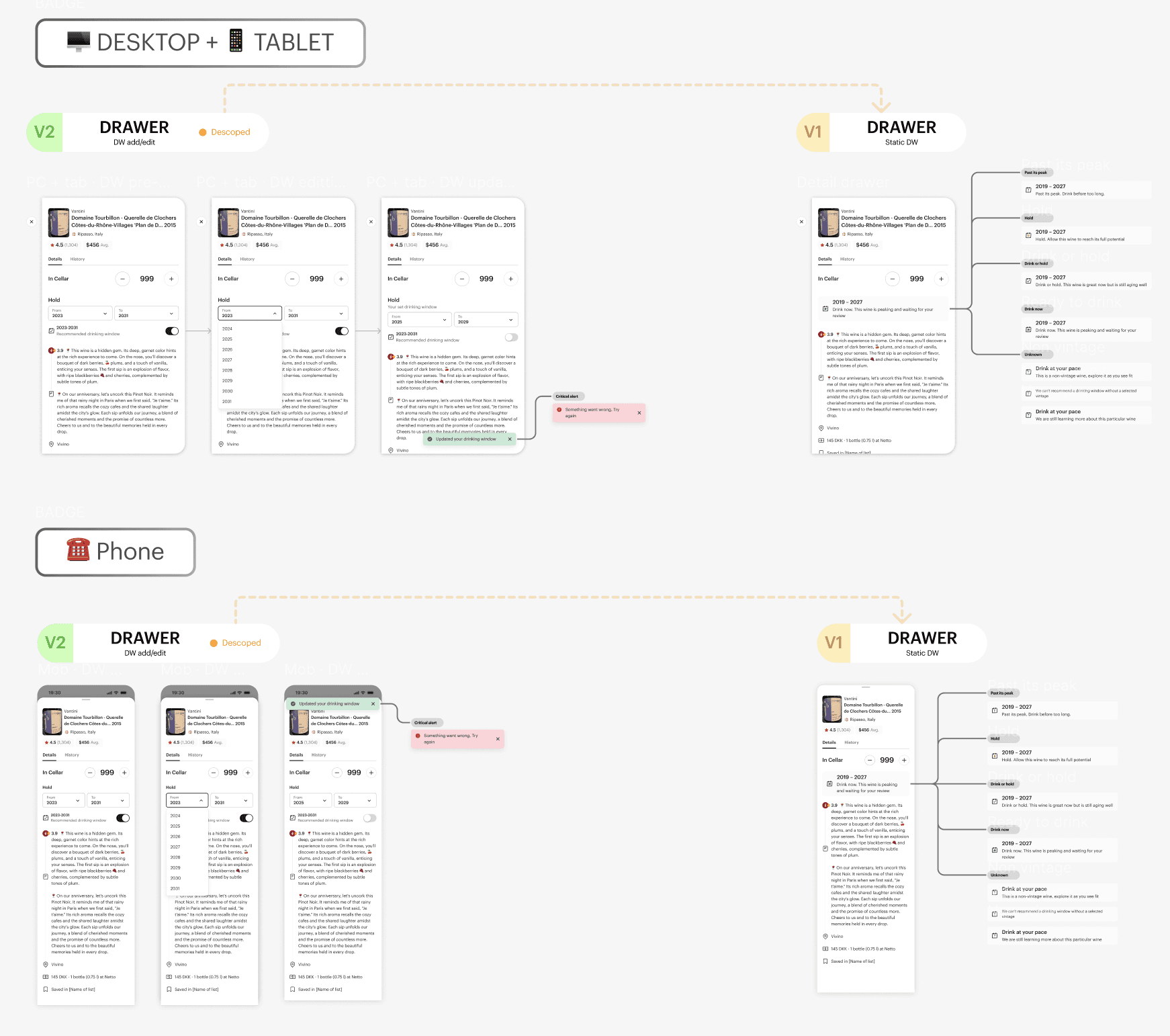
Close-up view of the hand-over file, illustrating the V2 solution alongside the descoped V1
03
Takeaways & outcome
Learnings
Working on this project was an intriguing challenge, demanding extensive cross-team collaboration to determine feasible web solutions. Due to resource constraints, we only tested the solution in QA. This experience enhanced my skills as a designer in several ways:
Designing responsive and the angle of how you tackle the it can depend internal patterns, like the Vivino lists on app I designed prior.
Engaging in cross-team collaboration can help uncover opportunities and constraints early, thus reducing the likelihood of backtracking.
Thorough hand-over organization and structuring files in a logical and clear way for development pick-up.
The final product
The final product, despite some descoping, addressed key needs. By the time it launched, I had moved on from Vivino, but is undoubtedly uplift supported Vivino Premium further. My design for Cellar on web ultimately delivered:
A solid version 1 that addressed essential needs and set the stage for future improvements.
A V2-ready design, where I had already designed the descoped parts for the next developments.
A valuable addition to Vivino Premium, anticipated to increase conversions thanks to its demand.
See more…